
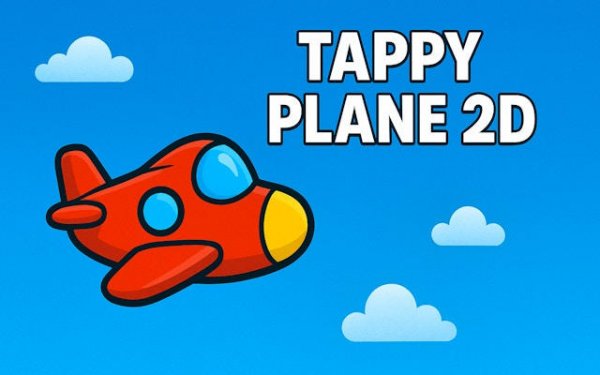
Altitude Dash - Endless Flying Game
Reviews
Altitude Dash strips the endless runner formula down to its essentials. The single-tap control scheme is intuitive, but mastering the plane's floaty response takes patience. Obstacles are well-placed to create moments of tension without feeling cheap. The visual clarity helps you read gaps quickly, and the lack of power-ups keeps the focus on player skill. It is a solid choice for anyone who enjoys minimalist arcade games that test reflexes and rhythm.
About this game
Core Flight Mechanics
The central action in Altitude Dash revolves around a single, precise input. Players tap or click to make the plane gain altitude, then release to let it descend. Success depends on finding the right rhythm to pass through gaps between obstacles. Tapping too often lifts the plane into the top barrier, while tapping too infrequently lets it drop into the lower one. This simple cause-and-effect system creates a satisfying loop where each attempt teaches you something about the plane's responsiveness.
Obstacle Course Design
Obstacles appear as horizontal bars with a gap in the middle. The gaps vary in height and position, forcing you to adjust your altitude quickly. Some sections feature a series of close-together gaps that demand rapid, controlled tapping. Others space the obstacles further apart, giving you time to stabilize the plane. This variation keeps the experience fresh because you cannot rely on muscle memory alone. Each new run presents a different pattern to read and react to.
Visual Style and Atmosphere
The game uses bright, cartoon-style graphics with a clean background. The plane is small and easy to spot against the sky. Obstacles are clearly outlined so you can judge distances at a glance. There are no distracting animations or cluttered menus. The visual design supports the gameplay by making the critical information—where the gap is and how fast the plane is moving—immediately obvious. This clarity helps players focus on timing rather than searching for visual cues.
Session-Friendly Design
Altitude Dash is built for short play sessions. A single run can last anywhere from a few seconds to several minutes, depending on your skill. There is no save system or progress bar to manage. You simply start a new flight and try to beat your previous distance. This structure makes it easy to pick up for a minute while waiting in line or to play for longer stretches when chasing a personal record. The lack of complex menus means you spend more time flying and less time navigating options.
Improving Your Performance
Progress in Altitude Dash comes from learning the plane's behavior. The aircraft does not respond instantly to taps; there is a slight delay as it gains lift. Understanding this delay is key to threading through tight gaps. Experienced players develop a feel for how many taps are needed to reach a certain height. Practicing with different tapping speeds helps you find a comfortable rhythm. Small, consistent adjustments work better than large, panicked corrections. Over time, you build a mental map of the plane's flight characteristics.







Comments
0 comments