
Urban Speed Tour
Reviews
Urban Speed Tour delivers a satisfying mix of structured missions and free-roaming fun. The three car types feel distinct, and the color picker offers real personalization. Rain effects add a welcome challenge, and the multiplayer mode extends replay value. The city layout is well designed, with plenty of interactive objects to discover. A great choice for casual driving fans.
About this game
City Layout and Atmosphere
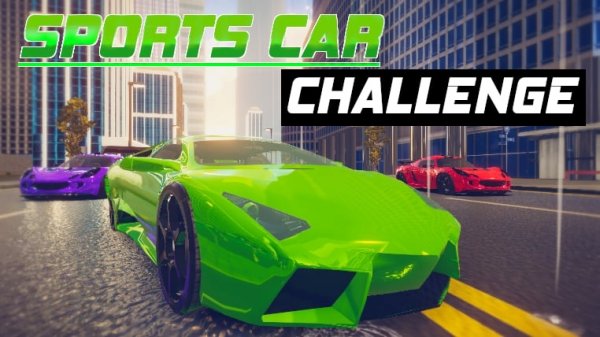
The game places you in a sprawling urban environment with distinct districts, including a busy waterfront area. Roads wind between buildings, offering shortcuts and scenic routes. The developers have added interactive elements to the world, such as objects that react when hit, which makes each drive feel less predictable. Rain can fall, changing how your car grips the pavement and requiring adjustments to your driving style.
Vehicle Selection and Personalization
Players can pick from three different car types, each with unique handling characteristics. After choosing a vehicle, you can adjust its color using a detailed color picker that lets you mix red, green, and blue values. This allows for thousands of possible paint jobs, so your car can look exactly how you want. The customization is straightforward and accessible to all players.
Mission Structure and Free Roam
There are multiple missions to complete, which provide clear goals and rewards. These tasks range from reaching a destination within a time limit to performing specific maneuvers. Between missions, you are free to drive anywhere in the city without restrictions. This balance between guided objectives and open exploration keeps the experience fresh, as you can choose to follow the story or simply enjoy the scenery.
Multiplayer Racing and Interaction
An online mode lets you race against other players in real time. You can challenge friends or compete with strangers in head-to-head contests. The multiplayer component adds a social layer, allowing you to see how your driving skills compare with others. The game also includes a full-screen option to make the racing more immersive.
Controls and Camera Options
Driving is handled with standard keyboard keys, such as WASD or arrow keys. You can switch between several camera angles to find the view that works best for you, whether that is a close chase cam or a wider overhead perspective. A nitro boost gives you a temporary speed increase, useful for overtaking or beating a clock. If your car gets stuck, a reset button returns it to the road instantly.
Learning the City and Improving
Spending time exploring the map helps you learn the best routes and hidden areas. Using the nitro boost at the right moment, such as on long straightaways, can shave seconds off your times. Trying different camera views can improve your awareness of nearby cars and obstacles. Watching how other players handle corners in multiplayer can also teach you new strategies.



Comments
0 comments